The free, open-source pixel art editor for humans and AI agents
QxSprite is a free Aseprite alternative for sprites and pixel animation. Draw, animate and export game-ready sprite sheets — or let your AI agent do it over MCP while you watch.
No account. No trial. No telemetry. Windows · macOS · Linux.
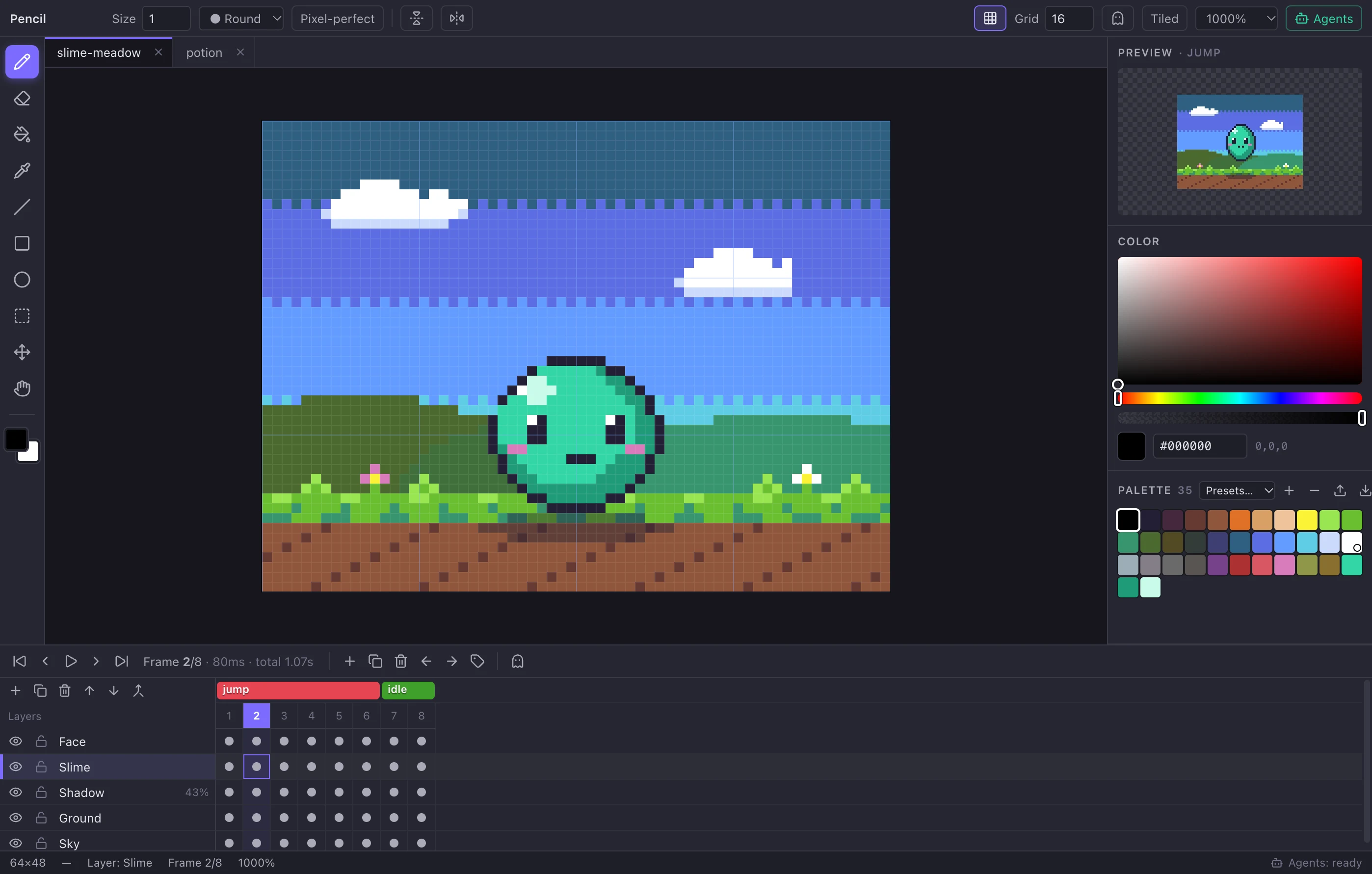

Everything you need for sprites and pixel animation
A focused, fast editor that stays out of your way — with the tools pixel artists actually use every day.
Pixel-perfect drawing
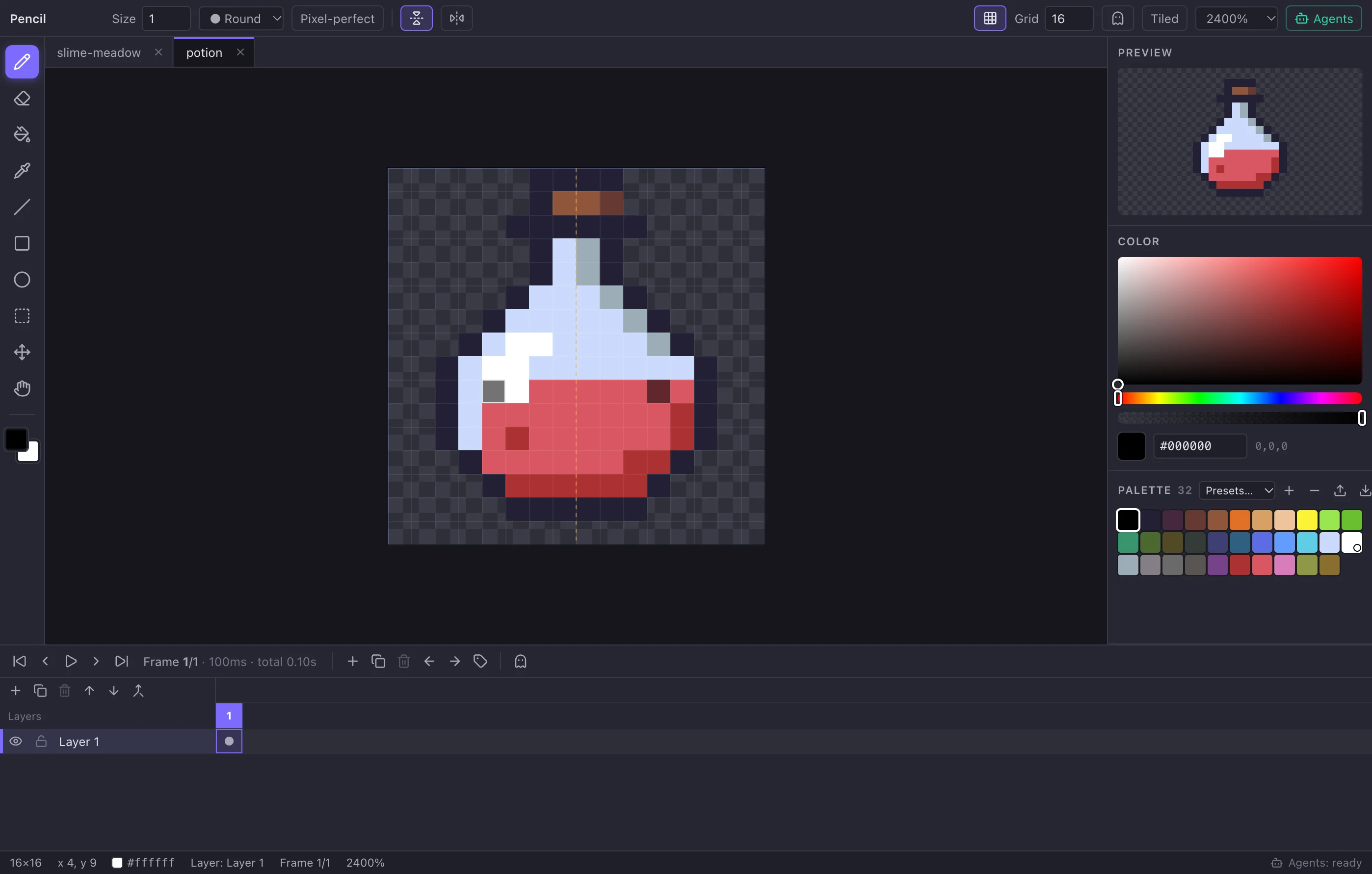
Pencil with pixel-perfect strokes, round or square brushes, eraser, line, rectangle and ellipse tools tuned for crisp pixel art.
Layers
Unlimited layers with visibility, locking, opacity, reordering, duplicate, merge down and flatten.
Frame-by-frame animation
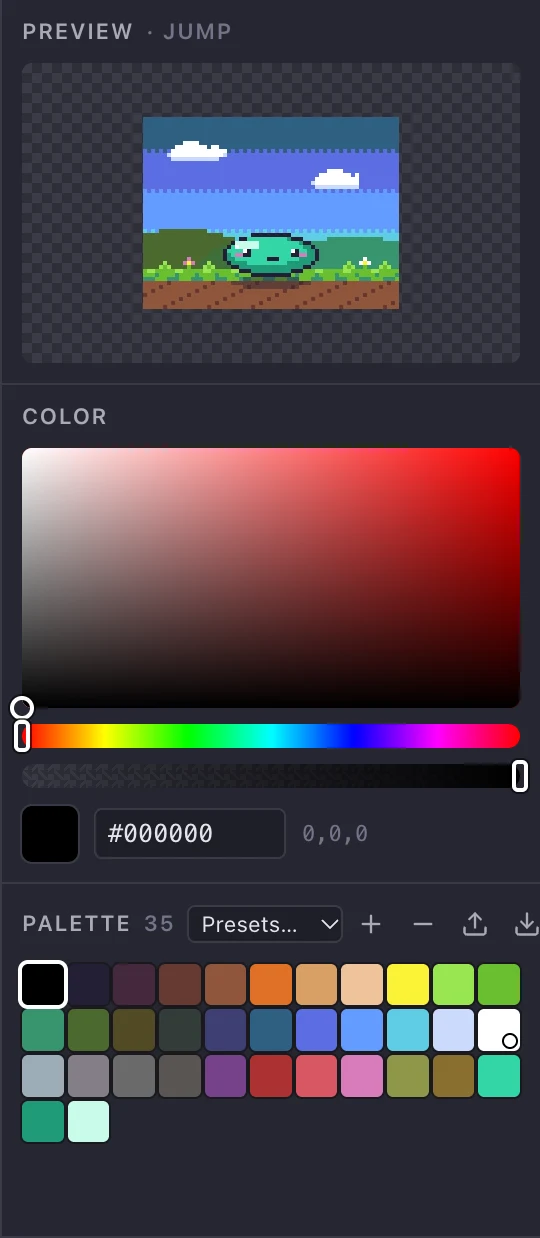
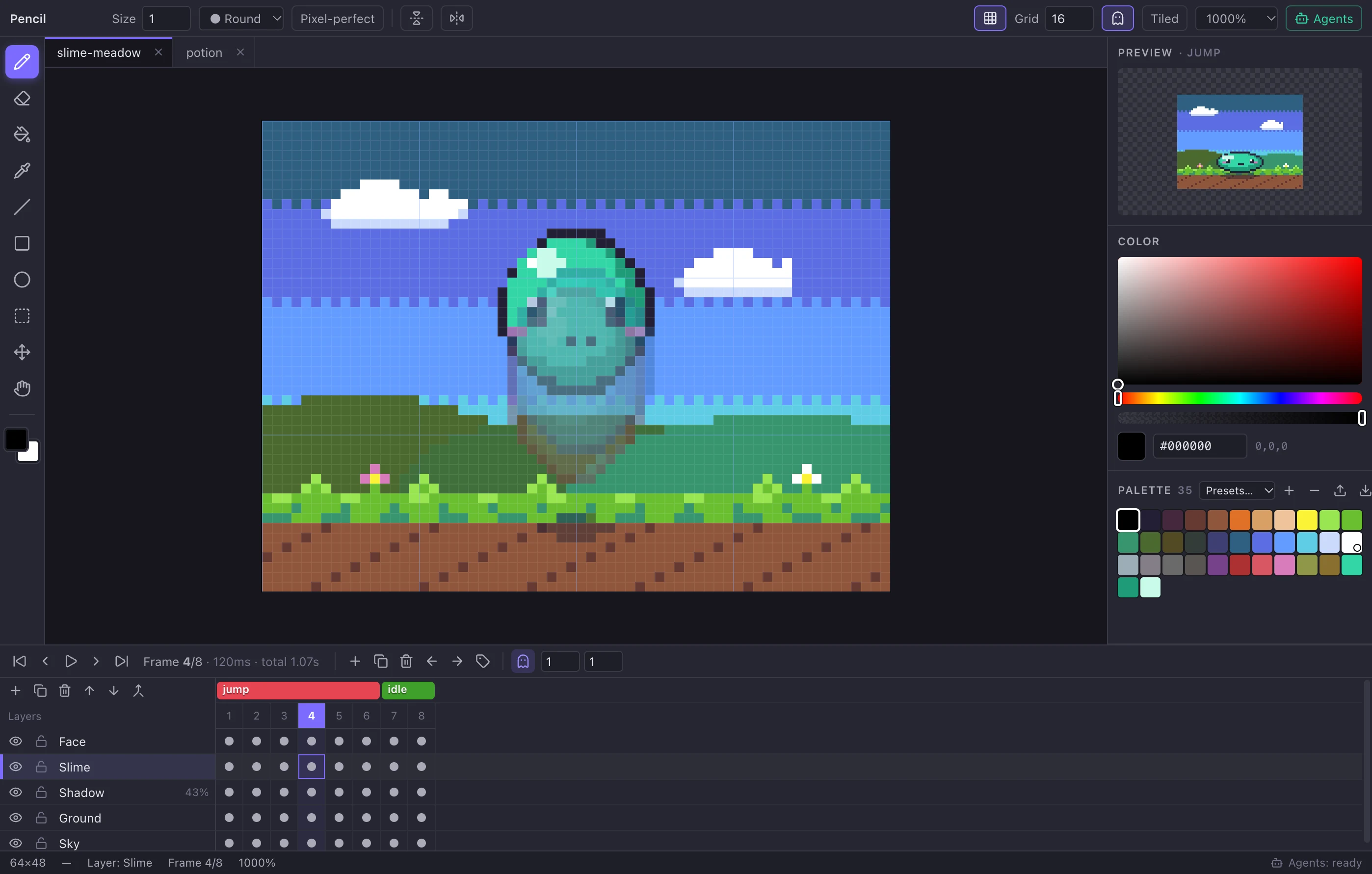
A real timeline with per-frame durations, duplicate-and-tweak workflow, playback and a live preview panel.
Onion skin
See previous and next frames tinted red and blue while you animate, even over opaque backgrounds.
Animation tags
Name frame ranges like idle, walk and attack with forward, reverse and ping-pong playback. Exported to your engine.
Symmetry & transforms
Mirror drawing on X and Y, flip, rotate, shift, outline, replace color, crop, trim and nearest-neighbor scaling.
Palettes
DB32, PICO-8, Endesga 32, Sweetie 16, Game Boy and more — or load and save GIMP .gpl, Lospec .hex and JASC .pal files.
Built-in MCP for AI agents
37 tools let Claude, Cursor and other agents draw, animate, inspect and export sprites — live in your editor.
Game-ready export
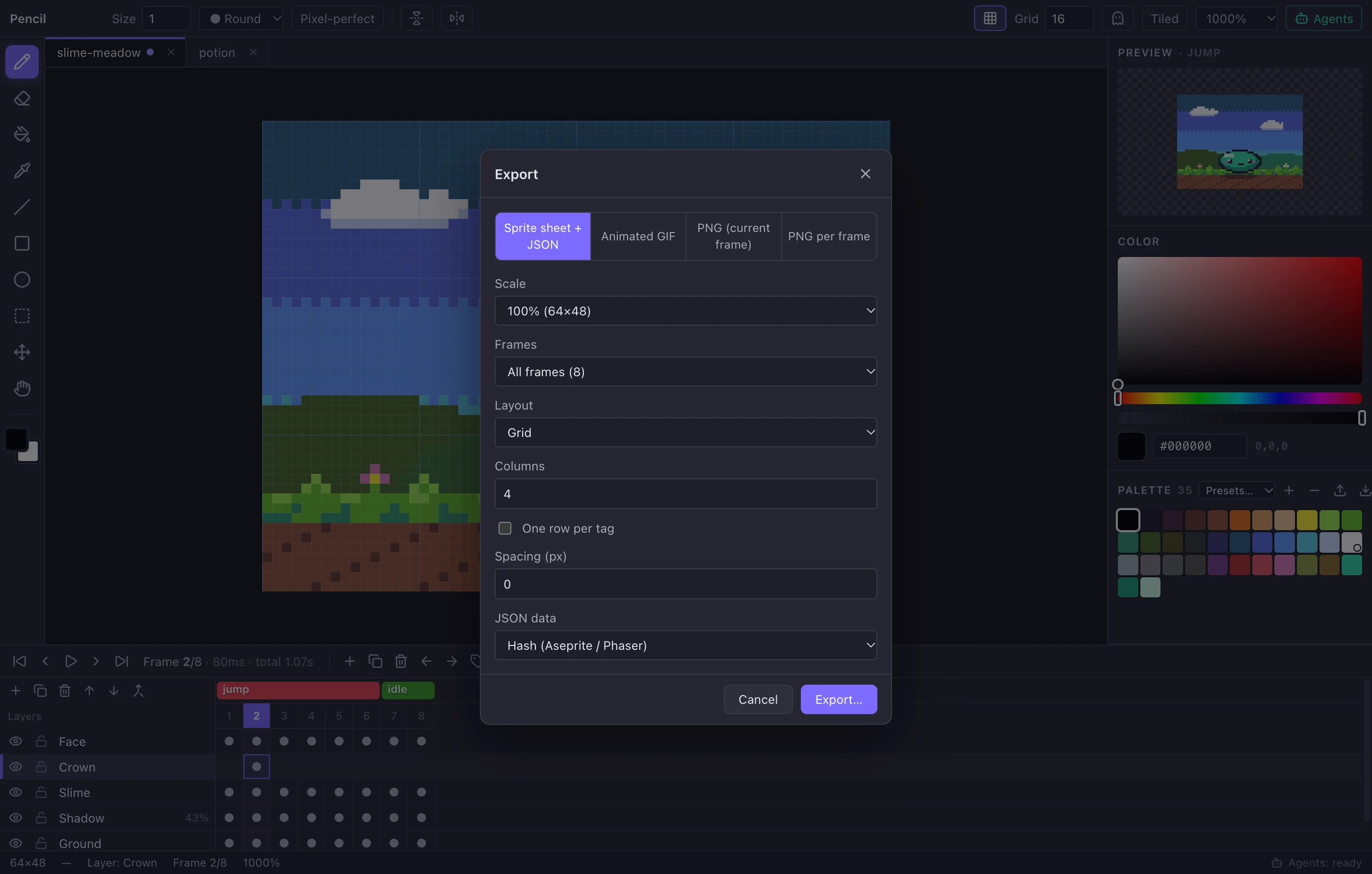
Sprite sheets with Aseprite-compatible JSON, PNG frames and animated GIFs. Command-line export for build pipelines.
Opens .aseprite files
Bring your existing art: layers, frames, tags, linked cels and palettes come along. Save back to .aseprite any time.
Shared undo history
Every change — yours or an agent’s — is one undoable step, so experimenting is safe.
Free, open, private
MIT licensed, no account, no telemetry, works offline on Windows, macOS and Linux.
Your AI agent can draw now — and you can watch it work
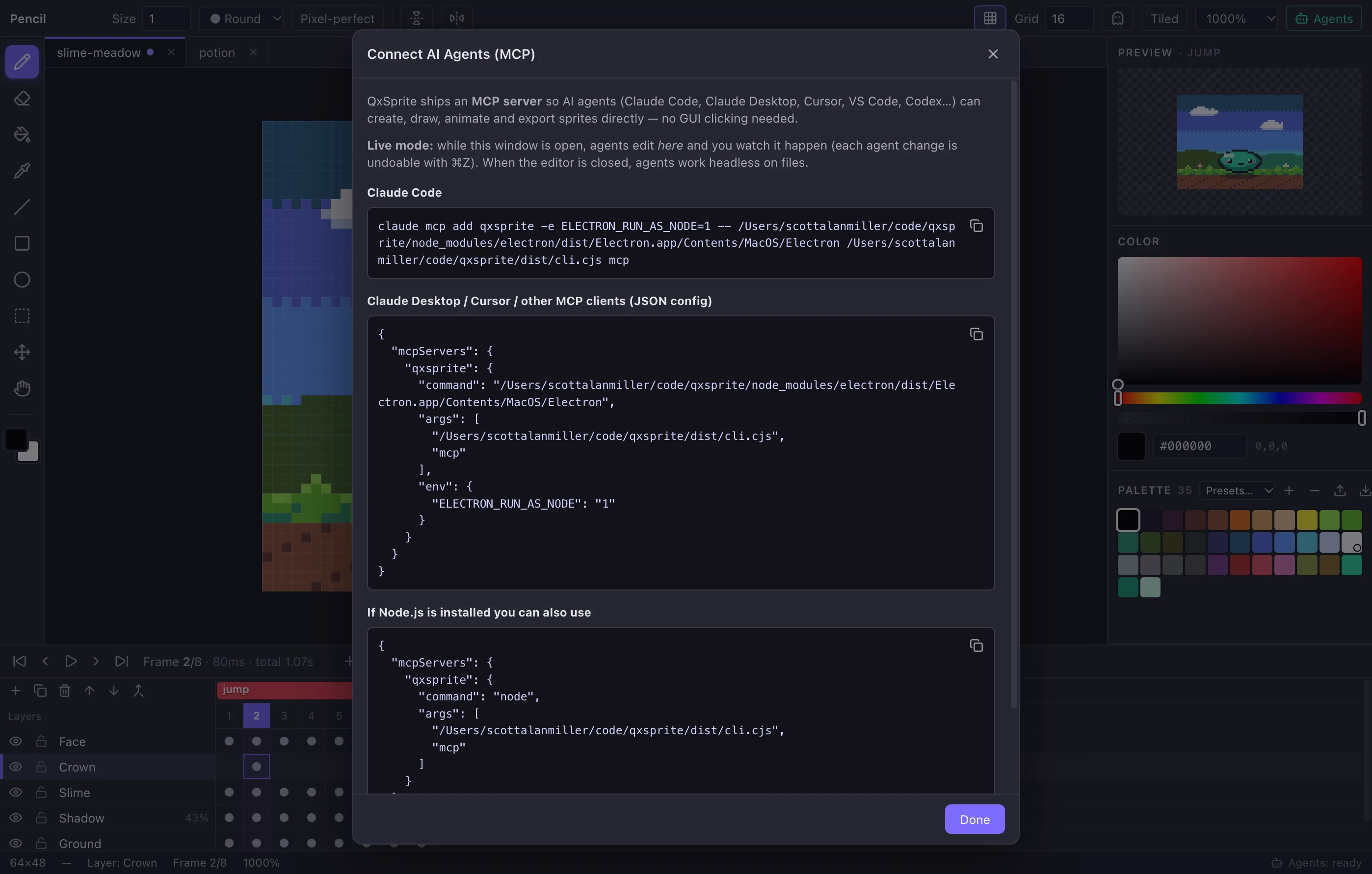
QxSprite ships a Model Context Protocol server. Agents like Claude Code, Claude Desktop, Cursor and VS Code get 37 purpose-built tools — no screen scraping, no clicking around the GUI.
- Live collaboration. With the editor open, agent edits appear instantly with a status toast, and land in your undo history.
- Art as text.
paint_gridturns rows of characters into pixels;read_pixelsreturns the same format. - Agents can see.
render_previewreturns an image, so the agent checks its own work. - Headless too. No editor running? The same tools work on files — perfect for pipelines.
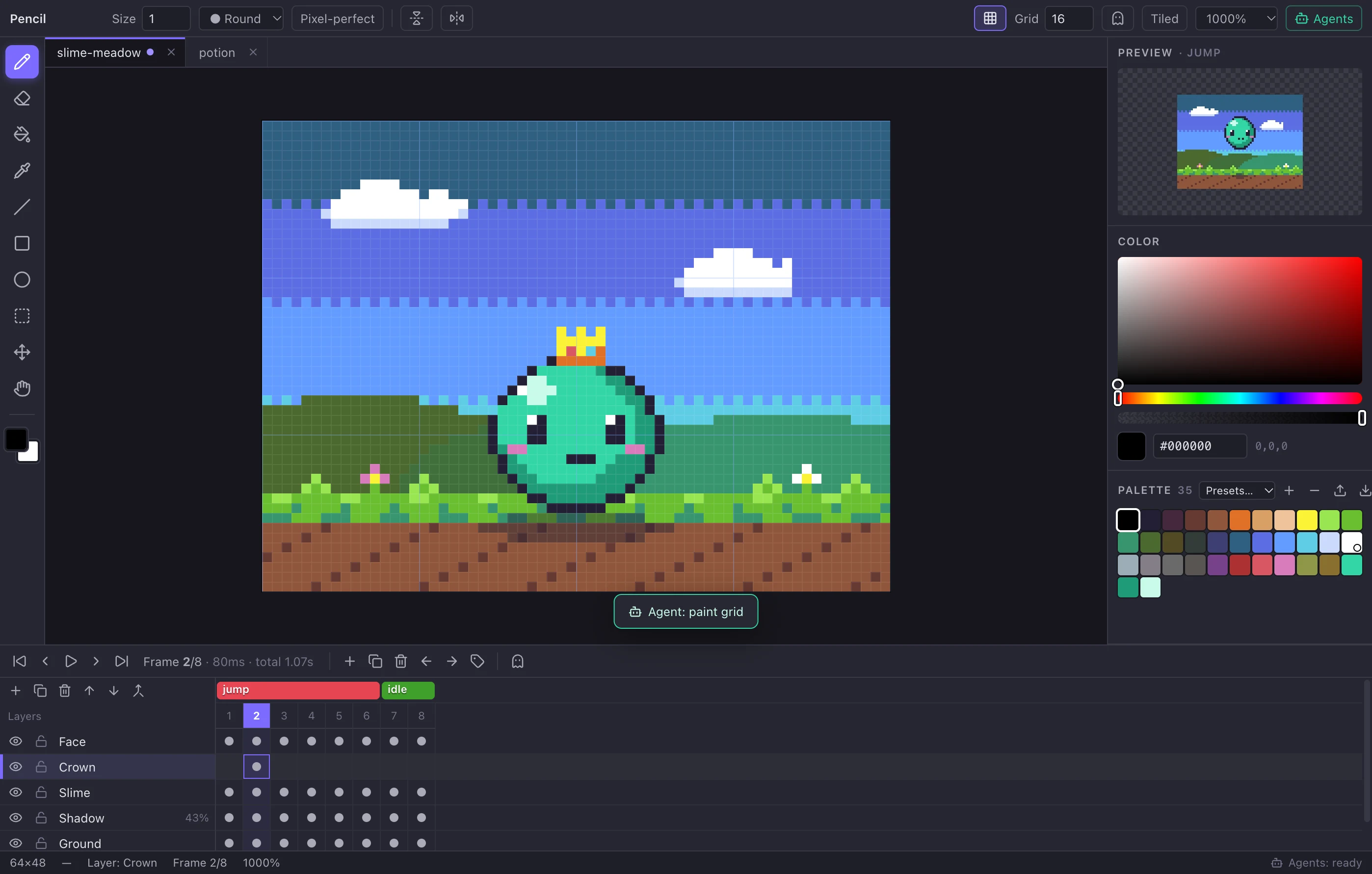
{ "layer": "Crown", "x": 30, "y": 21,
  "rows": ["y.y.y", "yyyyy", "yrybY", "YYYYY"],
"legend": { "y": "#fbf236", "Y": "#df7126", "r": "#d95763", "b": "#5fcde4" } }Rendered previews close the loop
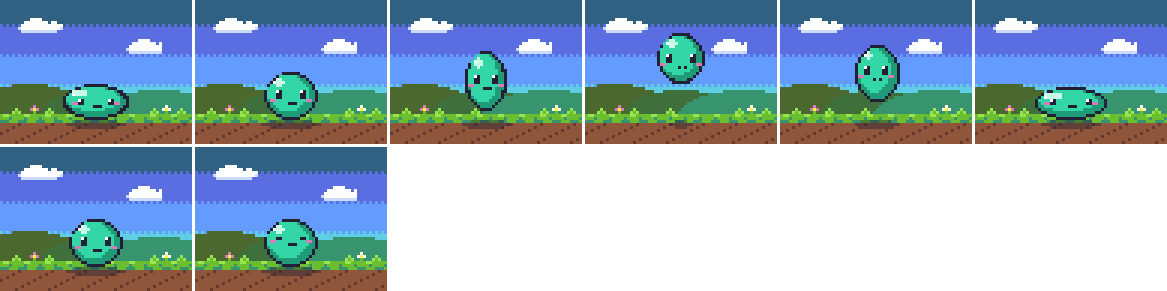
render_preview hands the agent a PNG of any frame, frame range or animation tag — with an optional pixel grid for counting coordinates. Agents iterate on their art the way you do: look, fix, look again.
- Animation strips laid out left-to-right, frame by frame.
- Palette discipline via
color_stats, which flags off-palette colors. - Undo, layers, tags, palettes, export — the whole workflow is available to agents.

Actual render_preview output: the “jump” tag, 6 frames, 4× with grid.
Animate frame by frame, export straight to your engine
Layers × frames in one timeline. Duplicate a frame, nudge a few pixels, check it with onion skin, name the range with a tag, and hit play.
- Per-frame timing and tags with forward, reverse and ping-pong playback.
- Sprite sheets as strips, grids or one row per tag — plus Aseprite-compatible JSON.
- GIF and PNG export at any integer scale, crisp and pixel-perfect.

Exported sprite sheet — one row per tag, with JSON metadata alongside.
Take a look around
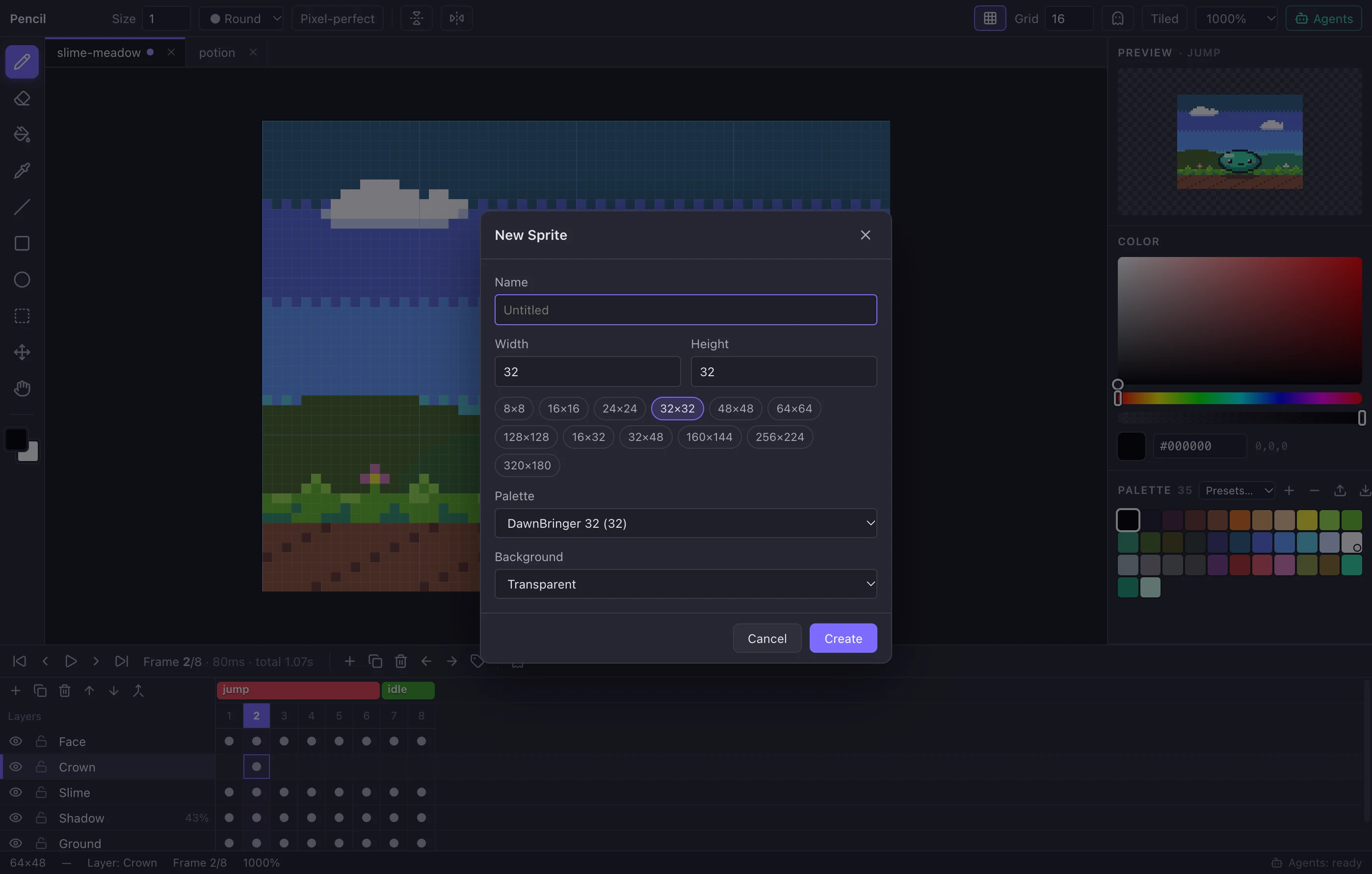
Click any screenshot to enlarge it.
A free, open-source alternative to Aseprite
Aseprite is a fantastic, mature tool — and it's paid. QxSprite gives your whole team a free, MIT-licensed editor that reads and writes .aseprite files and adds first-class AI-agent support.
| QxSprite | Aseprite | |
|---|---|---|
| Price | Free | Paid license |
| License | MIT (open source) | Proprietary (source available) |
| Windows, macOS, Linux | Yes | Yes |
| Opens & saves .aseprite files | Yes | Yes (native) |
| Layers, frames, tags, onion skin | Yes | Yes |
| Sprite sheet + JSON, GIF export | Yes | Yes |
| Built-in MCP server for AI agents | Yes — 37 tools, live or headless | Not built in |
| Agent edits live in your open editor | Yes, with shared undo | No |
| Tilemaps, Lua scripting, slices | Not yet | Yes |
Comparison as of QxSprite 1.0.0. Aseprite details are summarized from its public website; check there for current pricing and features.
Get QxSprite 1.0.0 — free
Direct downloads, no sign-up. Pick your platform.
macOS
Universal — Apple Silicon & IntelRuns natively on Apple Silicon and Intel. First launch: System Settings ▸ Privacy & Security ▸ Open Anyway.
Windows
Windows 10 & 11 — x64 & ARM64Portable — unzip and run QxSprite.exe. No admin rights needed.
Linux
x64 & ARM64Extract and run ./qxsprite (add --no-sandbox on Ubuntu 24.04+ if needed).
Looking for the source code or checksums? See the download page.
Questions, answered
Is QxSprite really free?
Yes. QxSprite is free to download and use for any purpose, including commercial game development, for individuals and whole teams. There are no paid tiers, accounts or trials.
Is QxSprite open source?
Yes — it is released under the MIT License. You can download the complete source code from the download page, modify it and redistribute it.
Is QxSprite a good free alternative to Aseprite?
QxSprite covers the core pixel-art workflow — layers, frames, tags, onion skin, palettes, sprite sheets and GIFs — and opens and saves .aseprite files, so it works as a free, open-source Aseprite alternative for most sprite and animation work. Aseprite is more mature and has extras such as tilemaps and Lua scripting; see the full comparison.
Can I open my existing Aseprite files?
Yes. QxSprite opens .aseprite and .ase files (RGBA, indexed and grayscale) with their layers, frames, frame durations, linked cels, tags and palette, and it can save back to .aseprite.
How do AI agents use QxSprite?
QxSprite includes a Model Context Protocol (MCP) server. Connect it to Claude Code, Claude Desktop, Cursor, VS Code or any MCP client and the agent can create sprites, draw, animate, look at rendered previews and export — live in your open editor, or headless on files. See AI agents & MCP.
Which game engines can use the exports?
Sprite sheets are exported with Aseprite-compatible JSON (hash or array), which existing importers for Godot, Unity, Phaser, LÖVE, Defold, GameMaker tools and many others already understand. You can also export individual PNG frames or animated GIFs.
Does it work offline? Does it collect data?
QxSprite is a desktop app that works fully offline. It has no accounts, no ads and no telemetry. The local agent bridge only listens on 127.0.0.1 and requires a random token.
Why does my computer warn me when I open it?
Current builds are not yet signed with paid code-signing certificates. On macOS, if you see a warning, open System Settings ▸ Privacy & Security and click “Open Anyway” (or right-click the app and choose Open). On Windows SmartScreen, choose “More info ▸ Run anyway”.

Start making pixel art today
Free forever, open source, and ready for you and your AI agents.